

WordPress site collaboration is rarely difficult because people cannot communicate. It is difficult because communication becomes scattered.
The writer is working in WordPress. The reviewer is commenting in a document. The client is replying by email. The developer is receiving separate instructions in chat. Everyone may be communicating, yet nobody has the complete context.
The solution is not to create more messages. It is to create a clearer home for the messages that belong to the WordPress site.
Why WordPress teams lose feedback
Feedback is most likely to be lost when it is:
- Sent to the wrong person
- Buried in a long email thread
- Separated from the page or post it describes
- Given without a clear owner
- Written without enough context
- Never acknowledged by the recipient
A focused internal messaging workflow addresses these problems by making the message visible to the relevant site editors and keeping communication connected to the WordPress environment.
Give every message a purpose
Before sending a message, identify its purpose. Most useful editorial messages fall into one of five categories:
- Instruction: Do this specific task.
- Question: Confirm this detail before work continues.
- Feedback: Improve or correct this part of the content.
- Decision: Record the direction the team agreed to follow.
- Announcement: Inform editors about a site-specific change.
Starting the message with one of these labels makes it easier to scan and act on.
Make ownership explicit
A message should not rely on the team guessing who is responsible. Include the owner directly:
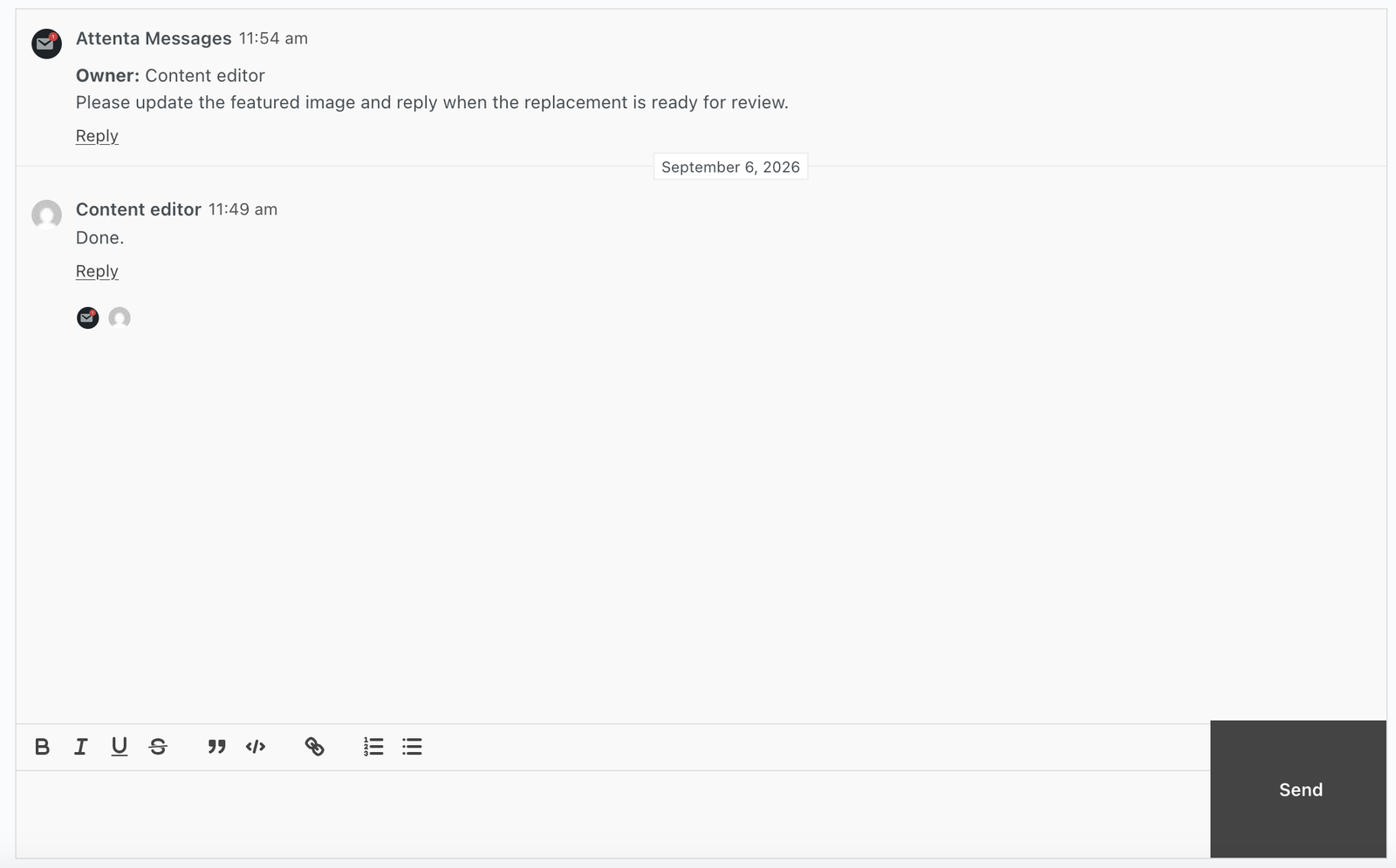
This is especially important for agencies. A general request to “the team” often becomes nobody’s task. A named role or person creates accountability without making the message unnecessarily long.
Keep the discussion useful for future editors
A message is not only for the person who reads it today. It may help a new editor understand why a decision was made weeks later.
Write messages so they retain context:
- Name the relevant page, post, or area.
- Explain the reason for the requested change.
- Record the final decision.
- Avoid unexplained abbreviations.
- Reply to the original message rather than starting a disconnected thread.
Formatted text and quote-and-reply features can make these discussions easier to read and maintain.
Provide flexible ways to display messages
Some teams need messages in the admin dashboard. Others may want an internal page that brings together instructions, reminders, or editorial notes.
A shortcode and a Gutenberg block make it possible to place messages in different parts of a WordPress site’s internal workflow. This flexibility helps teams design a communication area that matches the way they already work instead of forcing everyone into a single layout.
Use acknowledgement as a lightweight control
Not every message needs a formal task status. For many editorial requests, the first important question is simply: has the right person seen it?
A visible seen status helps the sender decide whether to wait, follow up, or redirect the request. It is a small feature, but it removes a common source of uncertainty in distributed teams.
When a WordPress messaging plugin is useful
An internal messaging plugin is a strong fit when your team:
- Manages content across several WordPress user accounts
- Coordinates client edits and approvals
- Wants fewer site-specific messages in external tools
- Needs formatted editorial instructions
- Wants replies and quoted context in the dashboard
- Needs more control over who can access internal messages
- Works across a WordPress multisite environment
It may not be necessary for a single-person blog with no editorial collaboration. The value increases as more people become involved in producing, reviewing, approving, or maintaining the site.
The practical takeaway
Good WordPress collaboration is not about communicating constantly. It is about making the right communication easy to find, understand, acknowledge, and act on.
Keep site-specific feedback close to WordPress. Attenta Messages Pro is designed for this kind of internal communication, with formatting, replies, seen status, flexible display options, and custom access control.
If your WordPress team is losing feedback between email, chat, and documents, explore Attenta Messages Pro.