
A WordPress editorial workflow usually breaks down before the content is published. The writing may be fine, but the feedback process is unclear.
Who requested the change? Which version is approved? Was the editor’s last message seen? Is the author waiting for a response, or has the request been forgotten?
A reliable editorial workflow answers those questions without forcing the team to reconstruct the conversation from email threads and chat messages.
Start with four editorial stages
A practical workflow can be divided into four stages:
- Draft: The author or editor is creating the content.
- Review: Another person checks accuracy, clarity, structure, and consistency.
- Revision: The author applies requested changes and responds to questions.
- Approval: The responsible person confirms that the content is ready to publish.
Each stage should have a clear owner and a clear communication method. WordPress already contains the content and revision context. The missing piece is often a reliable place for the team’s messages about that content.
Separate feedback from final decisions
Editorial feedback is not always a final instruction. A reviewer may suggest two possible headlines, ask a question, or flag an issue that needs investigation.
Make the distinction clear:
- Suggestion: A possible improvement
- Question: Something that needs an answer
- Required change: A revision needed before approval
- Decision: The final direction the editor should follow
- Approval: Confirmation that the work is ready
Formatted messages and quote-and-reply functionality can make these distinctions easier to follow, especially when a discussion includes several points.
Use quoted replies for precise feedback
Long editorial messages often contain multiple requests. A generic reply such as “Done” may not tell the reviewer which point was addressed.
Quoting the relevant part of a message makes the reply more precise:
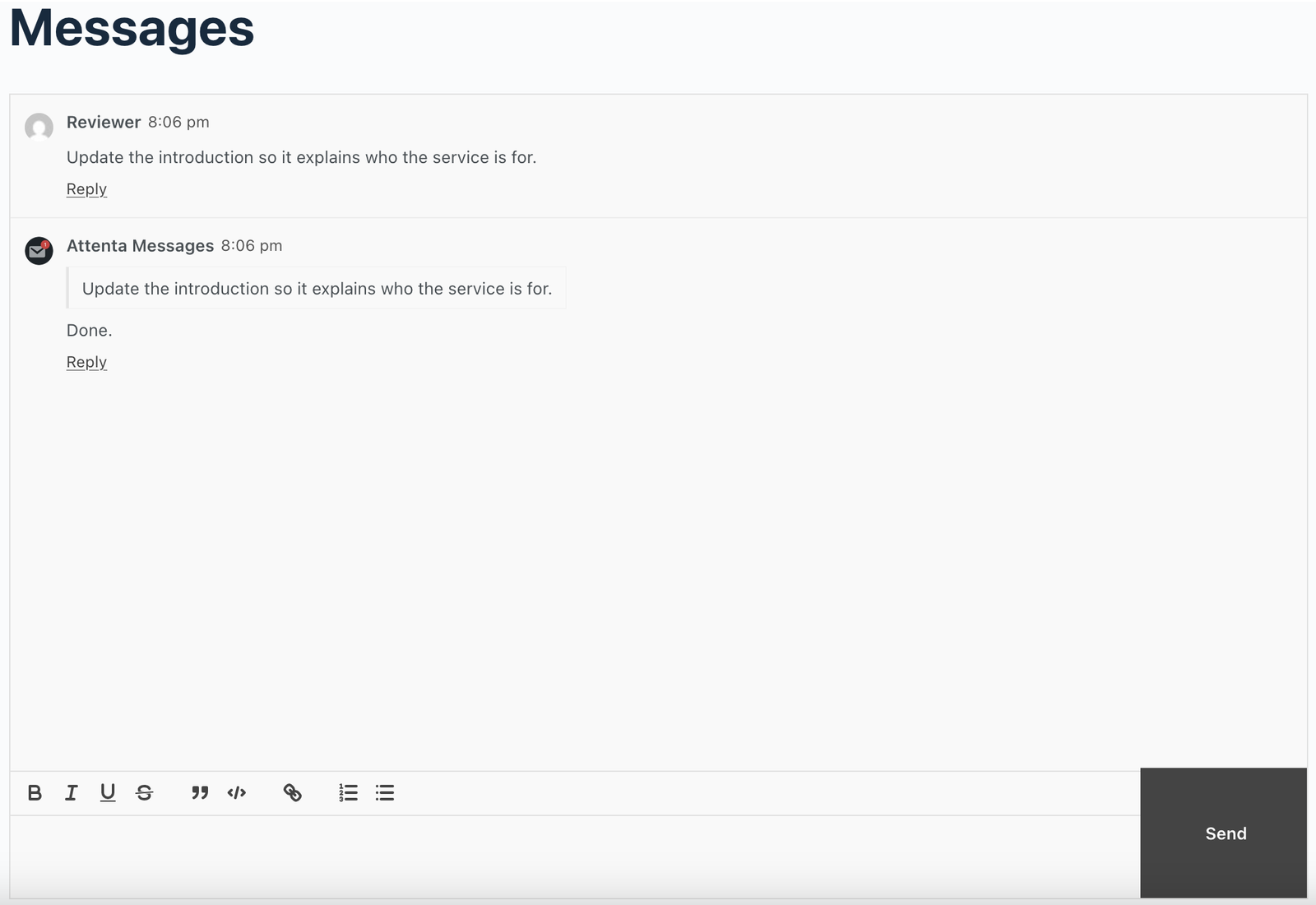
Now the target customer has been identified in the first paragraph (introduction).
This reduces ambiguity and creates a clearer record of the revision process.
Make review status visible
A review request should not disappear into a queue with no indication of what happened next. Visibility helps teams prioritize work:
- The reviewer has seen the request.
- The reviewer has replied with feedback.
- The author has acknowledged the requested changes.
- The revised content is ready for another review.
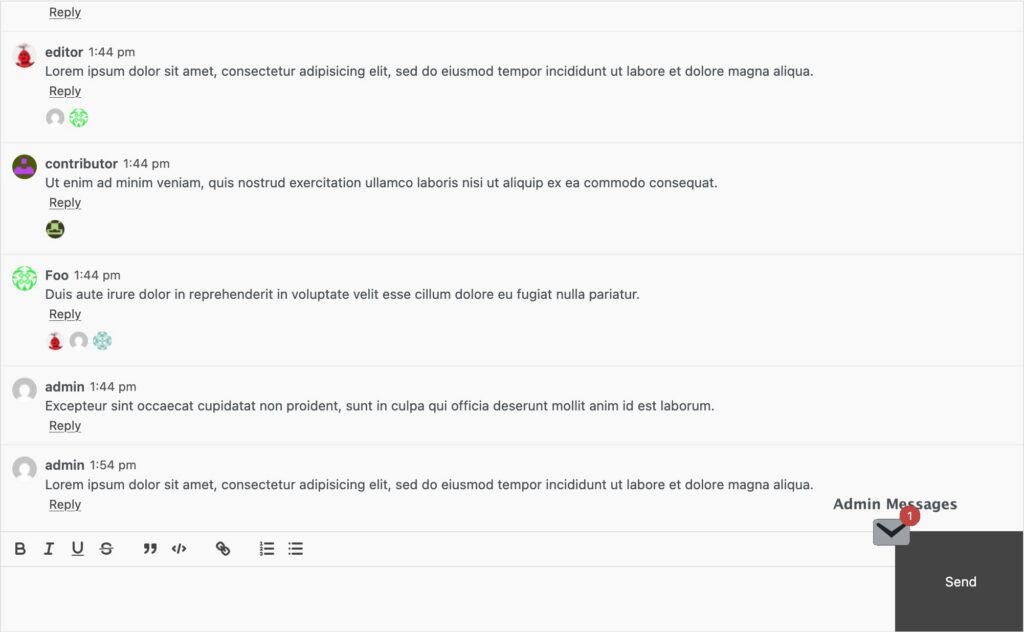
Attenta Messages Pro includes a way to see who has viewed a message. That gives teams a simple acknowledgement signal without requiring every update to become a separate status conversation.
Keep site-specific feedback inside the site
A content team may use email, a project-management platform, and chat. Those tools can still be useful for broader work. However, instructions tied directly to a WordPress site are easier to maintain when they are available in the WordPress environment.
This is particularly valuable when:
- A client website has several editors.
- An agency manages multiple websites.
- Contributors work on different publishing schedules.
- A site has recurring review and approval steps.
- The team needs a shared record of editorial decisions.
The closer the communication is to the publishing environment, the less time the team spends searching for context.
Define an approval message template
You can use a consistent approval message so the team knows when a post or page is genuinely ready. A useful template is:
Content: [Title or page name]
Reviewer: [Name or role]
Changes completed: [Short summary]
Checks completed: [Links, formatting, images, SEO, or other checks]
Status: Approved for publishing / Needs another revision
The exact fields can vary, but the principle remains the same: approval should be explicit, not implied by silence.
Use permissions carefully
Editorial messaging may include client feedback, internal notes, or publishing decisions. Access should match responsibility.
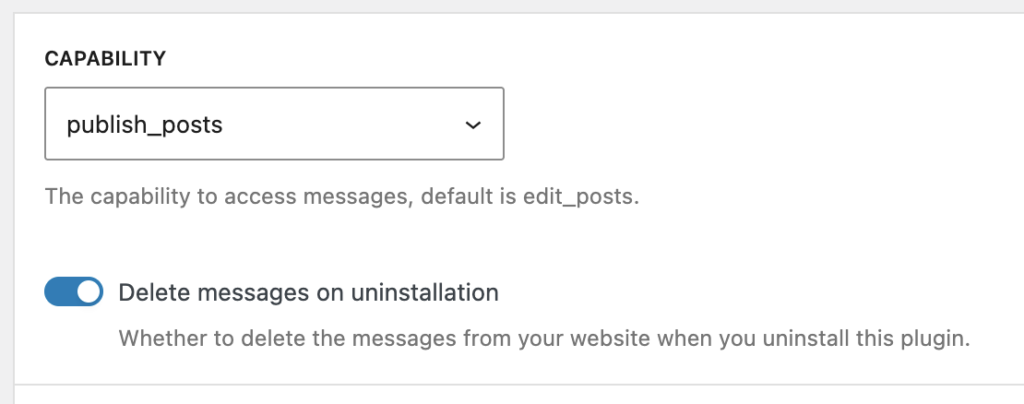
A custom access capability is useful when the default WordPress roles do not reflect the team’s actual workflow. Before opening internal messages to everyone, decide which roles need to participate and which users should only view published content.
The practical takeaway
A WordPress editorial workflow becomes easier to manage when feedback, revisions, and approvals follow a consistent structure. Use clear stages, distinguish suggestions from decisions, quote specific feedback, make acknowledgement visible, and keep site-specific communication close to WordPress.
Attenta Messages Pro supports this approach with formatted messages, quoting and replies, seen status, flexible message display, and custom access capabilities.
Build a clearer editorial workflow by upgrading to Attenta Messages Pro.